25 Powerful Ways to Use ChatGPT as Your Personal AI Agent in 2026
ChatGPT works as a personal AI agent across daily planning, work tasks, content creation, learning, business, SEO, personal life, and coding — handling things like drafting emails, summarizing documents, planning your week, and researching topics, all before you've even had your first coffee.
Let's actually walk through what that looks like in practice.
Imagine starting your day with an assistant that helps plan your schedule, drafts your emails, summarizes a document you didn't have time to read, researches a topic you needed answers on, and reminds you about the stuff you'd otherwise forget — all before your first coffee.
That's exactly how a lot of people are already using ChatGPT. Now that you know what it means to use it as a personal AI agent, and how to actually set it up, let's get into the part that matters most — real, practical ways to put it to work.
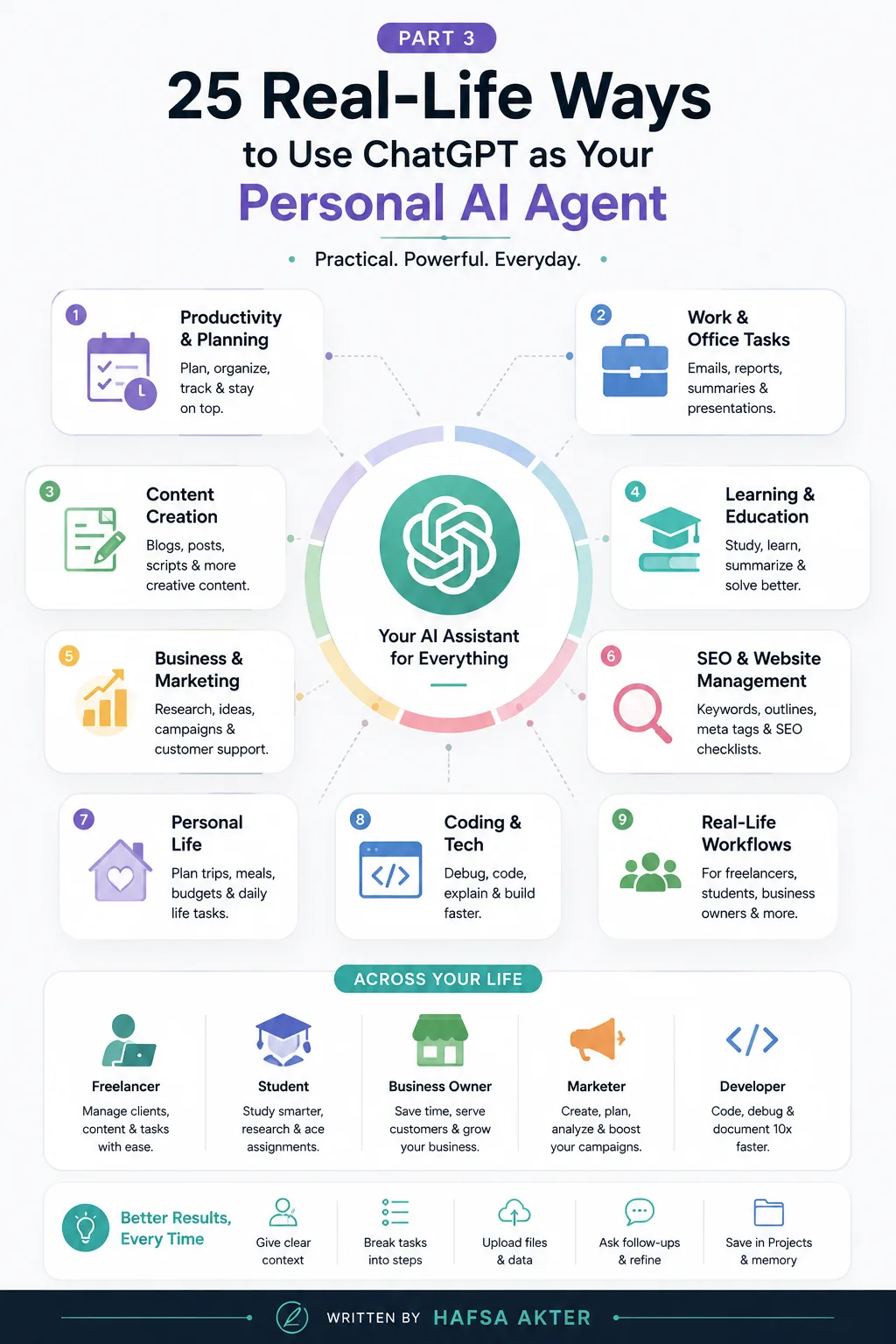
Productivity & Daily Planning
Let's start with the basics — running your actual day.
- Daily planning — lay out your day in the morning based on priorities and deadlines
- To-do lists — turn a messy brain-dump into an organized, prioritized list
- Time blocking — structure your day into focused blocks instead of jumping around
- Weekly planning — map out the week ahead in one sitting instead of winging it daily
- Habit tracking — check in on progress toward habits you're trying to build
Work & Office Tasks
This is where most people first start noticing real time savings.
- Writing emails — draft replies and outreach without staring at a blank screen
- Summarizing meetings — turn messy notes into a clear, shareable summary
- Creating reports — pull together data and findings into something readable
- Drafting presentations — outline slides before you even open PowerPoint
- Organizing notes — clean up scattered notes into something structured
Content Creation
If you're regularly producing content, this is where it earns its keep fast.
- Blog writing — draft posts, outlines, or full articles
- Social media captions — write captions that actually match your brand voice
- LinkedIn posts — turn an idea into a polished, shareable post
- YouTube scripts — structure a video from hook to close
- Newsletter ideas — never stare at a blank newsletter draft again
Learning & Education
This is where a lot of students end up getting the most value.
- Explaining difficult concepts — break down something confusing into plain language
- Creating study plans — build a structured plan ahead of an exam or deadline
- Summarizing PDFs — get the key points from a long document in minutes
- Quiz generation — turn your notes into practice questions
- Language learning — practice conversation, grammar, or vocabulary on demand
Business & Marketing
For business owners and marketers, this is where it starts feeling like a small team.
- Market research — get a quick overview of a market or audience before diving in
- Competitor analysis — understand what competitors are doing differently
- Customer support replies — draft consistent, professional responses to common questions
- Product descriptions — write copy that's clear and actually sells
- Marketing campaign ideas — brainstorm angles and concepts before committing budget
SEO & Website Management
A quick bonus category, since so many people use ChatGPT specifically for this:
- Generating keyword ideas
- Building content outlines
- Writing meta titles
- Writing meta descriptions
- Suggesting internal linking opportunities
- Running through an SEO audit checklist
Personal Life
It's not all work — plenty of people lean on it for everyday life too:
- Meal planning — put together a week of meals without the mental load
- Travel planning — research flights, compare hotels, build an itinerary
- Shopping comparisons — weigh options before making a purchase
- Budget planning — organize expenses and think through a monthly budget
- Fitness schedules — build a workout plan around your actual routine
Coding & Tech
And for anyone working with code, this is often the first place ChatGPT becomes indispensable.
- Debugging code — spot what's going wrong and why
- Explaining errors — turn a cryptic error message into something understandable
- Generating scripts — get a starting point instead of writing from a blank file
- Learning programming — get concepts explained at your actual skill level
- Writing documentation — turn code into clear, readable docs
What This Actually Looks Like — Five Everyday Workflows
Let's ground all of this with a few quick, real scenarios.
A freelancer starts the morning by having ChatGPT draft client follow-ups and organize the day's priorities, saving a good chunk of admin time before real work even begins.
A student uploads a dense lecture PDF, gets it summarized into key points, and builds a study plan around an upcoming exam — all in one sitting.
A small business owner uses it to draft customer replies, write product descriptions, and brainstorm a marketing campaign, without needing to hire outside help for any of it.
A digital marketer runs quick competitor research, pulls together keyword ideas, and drafts a week of social captions in one focused session.
A developer debugs a stubborn error, gets a confusing stack trace explained in plain English, and writes documentation for a feature they just finished.
Different people, completely different days — same tool, adapting to whatever's actually needed.
Tips for Getting Better Results
A few habits make a real difference in the quality of what you get back:
- Give clear context — don't make it guess what you actually need
- Break large tasks into smaller steps instead of asking for everything at once
- Upload supporting files when relevant, instead of describing them from memory
- Ask follow-up questions to refine the output, rather than settling for the first draft
- Save genuinely useful conversations inside Projects so you're not starting from zero next time
What's Next?
Now that you've seen how ChatGPT can help across everyday life and work, the next step is learning how to actually communicate with it effectively. Getting good use cases is only half the equation — the other half is knowing how to ask.
Want better responses? Read our upcoming ChatGPT Prompt Guide to learn how to write prompts that consistently produce high-quality results.
Frequently Asked Questions
Can ChatGPT replace multiple apps?
To some extent — yes. It can take over parts of what note-taking apps, planning tools, and even basic research tools do, though it works best alongside your existing apps rather than fully replacing all of them.
What tasks should I automate first?
Start with whatever eats the most time with the least judgment required — things like drafting routine emails, summarizing documents, or planning your day. Save higher-stakes decisions for later, once you trust the workflow.
Can ChatGPT manage my daily schedule?
It can help you plan and organize your schedule, and with Tasks, it can even handle reminders and scheduled check-ins. It doesn't fully run your calendar on its own unless it's connected to your calendar app.
Is ChatGPT useful for business owners?
Yes — especially for research, customer replies, marketing content, and day-to-day admin work that would otherwise take up hours each week.
Can students use ChatGPT as an AI agent?
Definitely. From summarizing readings to building study plans and generating practice questions, it fits naturally into a student's workflow.
Which tasks still require human review?
Anything with real consequences — financial decisions, legal matters, sensitive communications, or final business decisions — should always get a human check before you act on it.
💬 Found this useful? Let's connect on [LinkedIn - Hafsa Akter] — I share more breakdowns like this regularly.