To build an AI workflow, pick one repetitive task, map its steps, choose your AI and automation tools, connect your apps, add human review, test with realistic examples, then launch small and monitor the results.
Plenty of people already use AI for single tasks, like summarizing a document or drafting a reply. But you still copy, paste, and move things around by hand. Connecting those tasks into a repeatable process is what saves real time.
This guide shows you how to build an AI workflow from scratch, test it, and run it safely. New to the concept? Start with our explainer on AI workflow automation.
What Do You Need Before Building an AI Workflow?
You need a clear task, an AI model, the right apps, an automation platform, and a way to judge success.
- A clearly defined task or business problem
- An AI model or service that suits the task
- The apps and data sources the workflow will touch
- An automation platform or integration method
- Success criteria and a plan for human oversight
Beginners can start with no-code tools. Custom workflows may need APIs or some programming.
How Do You Build an AI Workflow Step by Step?
You build it in seven steps: choose a task, map it, pick tools, connect and configure, add review, test, then launch and monitor.
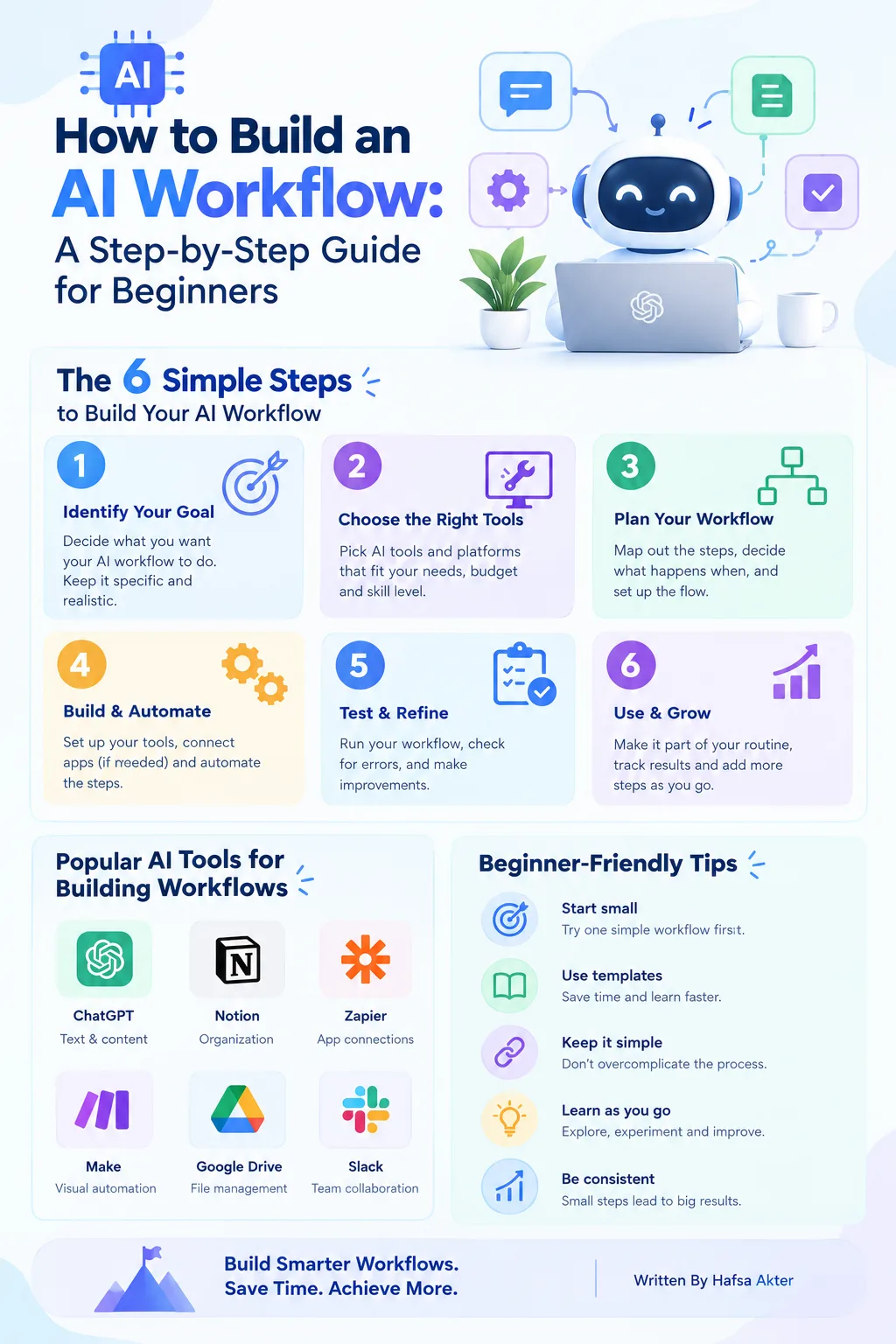
Step 1: Choose One Repetitive Task to Automate
- Pick something that happens often and follows a fairly consistent process.
- Estimate how long it takes now and where mistakes usually creep in.
- Keep it narrow and low-risk. Don't start with a whole business process.
Step 2: Map the Workflow From Start to Finish
- Write down the trigger, the inputs, the AI step, the output, and the next action.
- Decide what happens when information is missing or the result looks strange.
A rough sketch on paper is enough.
Step 3: Choose the Right AI and Automation Tools
- Match the AI model to the job: classifying, summarizing, or generating text.
- Pick an automation platform that connects to the apps you already use.
- Check permissions, data handling, pricing, and reliability before linking any accounts.
We'll compare specific products in our guide to AI workflow automation tools.
Step 4: Connect Your Apps and Configure the AI Task
- Connect only the apps you need, and grant only the access required.
- Write clear instructions for the AI, and define the input format and the output you expect.
- Add conditions that decide which action comes next.
- Use structured outputs (like fixed fields) when later steps depend on them.
Step 5: Add Human Review and Error Handling
- Require approval before anything sensitive or hard to undo.
- Decide what happens if the AI output is incomplete or wrong.
- Set up a fallback for failed integrations or unexpected inputs.
Base the amount of review on the risk of the task. Don't assume every output is safe.
Step 6: Test the Workflow With Realistic Examples
- Try normal inputs, missing data, unusual requests, and bad AI outputs.
- Compare results with what you expected.
- Confirm each connected app receives the right information.
- Fix problems before you turn on automatic execution.
Step 7: Launch, Monitor, and Improve
- Start with a small pilot.
- Track successful runs, failures, processing time, and cost.
- Collect feedback from the people who use the results.
- Update instructions and rules whenever the workflow misses its goal.
What Does an AI Workflow Look Like in Practice?
A good first example is an email triage workflow, where AI sorts incoming messages and sends each one to the right place.
- New email arrives: The email is the trigger.
- AI classifies it: Sales inquiry, support request, or general message.
- Message gets routed: It goes to the right inbox or team.
- Review when needed: Unclear or sensitive emails are flagged for a person.
This is an illustration. The exact setup depends on your email service and automation platform.
What Mistakes Should You Avoid When Building AI Workflows?
The most common mistakes are doing too much at once, vague instructions, loose permissions, skipped testing, and no monitoring.
- Automating too many tasks at the same time
- Giving the AI vague or conflicting instructions
- Connecting apps without checking permissions
- Skipping tests and human approval
- Ignoring performance after launch
A simple workflow you can measure beats a complex one you can't troubleshoot.
Frequently Asked Questions
Can beginners build an AI workflow without coding?
- Yes. Many no-code platforms use drag-and-drop builders.
- Custom or complex workflows may still need APIs or programming.
What tools are needed to build an AI workflow?
- An AI model or service for the task
- An automation platform to connect your apps
- Access to the apps and data the workflow uses
How long does it take to create an AI workflow?
- A simple one can take a few hours.
- Complex workflows with many integrations take longer.
- Testing and refinement usually take more time than the initial build.
Can ChatGPT be used in an automated workflow?
- Yes, many automation platforms can connect to ChatGPT or similar models.
- It handles the AI step, like summarizing or drafting, inside a larger process.
- You'll still need triggers, connected apps, and a review step.
How do you test an AI workflow before launching it?
- Run it on realistic examples, including messy or incomplete ones.
- Check the output against what you expected.
- Confirm connected apps get the right data.
- Fix errors before enabling automatic actions.
Is AI workflow automation free?
- Some platforms offer free plans with limits.
- AI usage, higher volumes, and extra integrations often cost money.
- Total cost depends on the tools, usage, and complexity.
Building an AI workflow comes down to a clear sequence. Choose a task, map its steps, select your tools, configure the AI, test it, and monitor the results.
Start with one manageable process. Expand only after it runs reliably.
Hafsa Akter writes about digital marketing and AI. Connect on LinkedIn or read her newsletter, Insights by Hafsa.