For most beginners, Zapier is the easiest place to start. Make suits visual, multi-step workflows. n8n fits technical teams and self-hosting. Power Automate works best inside Microsoft 365. Pipedream is built for developers, while Workato and UiPath are aimed at large enterprises.
Picking an automation platform is harder than it looks. Some tools are built for beginners. Others expect you to write code. A few only make sense once you have a big IT team.
Below are seven options, what each does best, and who should pick it. The right choice depends on your workflow and budget. Still new to the idea? Start with what AI workflow automation is.
What Should You Look for in an AI Workflow Automation Tool?
Look for ease of use, app integrations, AI features, pricing, security, and room to grow.
- Ease of use: Can you build visually, or do you need code?
- Integrations: Does it connect to your apps, and does it support APIs?
- AI features: Which AI models and agent features does it offer?
- Pricing: Check task limits and usage-based costs.
- Security: Look for access controls, monitoring, and error handling.
- Scalability: Will it cope when workflows get complicated?
What Are the Best AI Workflow Automation Tools in 2026?
The seven below cover everything from no-code beginner tools to enterprise platforms.
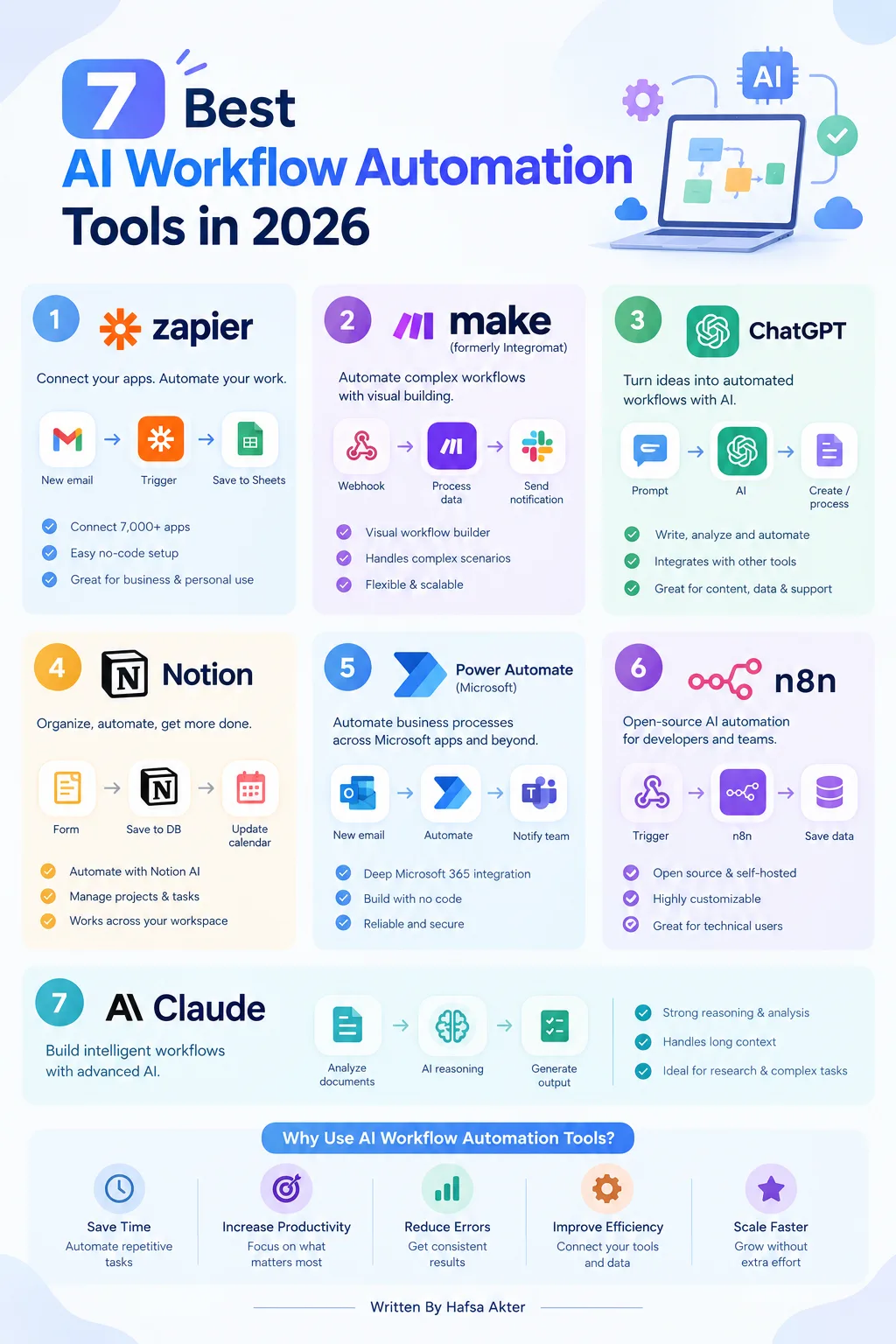
1. Zapier: Best for Beginners and App Integrations
- Works on a simple trigger-and-action model.
- Connects a huge range of business apps without much coding.
- Includes AI steps you can drop into a workflow.
- Watch the costs. Since June 2026, AI steps use more tasks depending on the model tier you pick, so heavy AI use adds up.
2. Make: Best for Visual, Multi-Step Workflows
- Gives you a visual canvas with branching and routing.
- Offers AI modules, AI agents (some still in beta), and workflow monitoring.
- Can connect to outside AI tools through its MCP server.
- AI features use credits, so estimate costs for AI-heavy scenarios.
3. n8n: Best for Flexible and Technical Workflows
- Open source, with both cloud and self-hosted options.
- Supports custom code alongside visual building.
- Has a LangChain-based AI agent node, which many teams rate as the strongest agent toolkit in this category.
- Better suited to technical users who want control over their setup.
4. Microsoft Power Automate: Best for Microsoft-Based Businesses
- Automates across Microsoft 365 and other supported services.
- Handles approvals, document processes, and business apps well.
- Uses Copilot to help build flows, and Copilot Studio for agents.
- Licensing and AI features depend on your plan and environment.
5. Pipedream: Best for Developer-Focused Integrations
- Built around APIs and event-based automation.
- Lets you write custom code inside workflows.
- Good for developers who want technical flexibility over hand-holding.
6. Workato: Best for Enterprise Automation
- Connects business systems and orchestrates company-wide processes.
- Focuses on governance and large-scale integration.
- Positions its existing integrations as tools AI agents can call.
- Suits larger organizations with complex operations.
7. UiPath: Best for RPA and Enterprise Process Automation
- Strong at robotic process automation (RPA), meaning software bots that repeat digital tasks.
- Now pitched as an agentic automation platform, combining bots, AI agents, and people.
- Handles document-heavy enterprise work.
- Heavier to set up than lightweight no-code tools.
How Do These AI Workflow Automation Tools Compare?
Here's the short version. Treat the skill levels as general guidance, since difficulty depends on the workflow.
- Zapier: Connecting everyday apps. Beginner.
- Make: Visual, multi-step workflows. Beginner to intermediate.
- n8n: Flexible AI workflows. Intermediate to advanced.
- Power Automate: Microsoft-based processes. Beginner to advanced.
- Pipedream: API-driven workflows. Intermediate to advanced.
- Workato: Enterprise integrations. Advanced.
- UiPath: RPA and enterprise processes. Intermediate to advanced.
Which AI Workflow Automation Tool Should You Choose?
Match the tool to your skills and systems.
- Beginners: Start by evaluating Zapier.
- Visual builders: Consider Make.
- Technical users or self-hosting needs: Look at n8n.
- Microsoft-centric teams: Try Power Automate.
- Developers: Explore Pipedream.
- Large organizations: Compare Workato and UiPath against your existing systems.
Want to see these tools in action? Browse our AI workflow automation examples, or learn how to build an AI workflow step by step. If ChatGPT is your main AI tool, see our guide to practical ChatGPT workflows.
What Mistakes Should You Avoid When Choosing a Tool?
The common ones are chasing integration counts, ignoring costs, skipping privacy checks, starting too big, and assuming agents beat rules.
- Choosing based only on the number of integrations
- Ignoring task limits and total costs
- Overlooking data privacy and permissions
- Automating a complicated process before testing a simple one
- Assuming an AI agent is always better than a rule-based workflow
Frequently Asked Questions
What is the best AI workflow automation tool in 2026?
- There's no single winner. It depends on your skills, apps, and budget.
- Zapier is a common pick for beginners.
- n8n and Make suit more advanced or visual needs.
Which AI automation tool is best for beginners?
- Zapier is usually the easiest starting point.
- Make is a good next step if you want more visual control.
- Both offer free plans with limits.
Are there free AI workflow automation tools?
- Yes. Zapier and Make offer free tiers with usage limits.
- n8n is open source, but self-hosting means you cover server costs.
- Check each official pricing page, since plans change often.
What is the difference between Zapier, Make, and n8n?
- Zapier is the simplest and has the widest app support.
- Make offers more visual control and branching.
- n8n is the most flexible, but needs more technical skill.
Can AI workflow automation tools work without coding?
- Yes. Zapier, Make, and Power Automate are built for no-code use.
- n8n and Pipedream work best with some coding knowledge.
Are AI workflow automation tools safe for business data?
- It depends on the tool and how you set it up.
- Check permissions, data handling, and access controls first.
- Limit what the workflow can see, and keep a human reviewing sensitive steps.
The best tool depends on your technical skills, integrations, budget, and how complex the workflow is. Test one small process before you commit to a platform or scale up across your business.
Ready to go further? Explore advanced AI workflow automation.
Hafsa Akter writes about digital marketing and AI. Connect on LinkedIn or read her newsletter, Insights by Hafsa.